
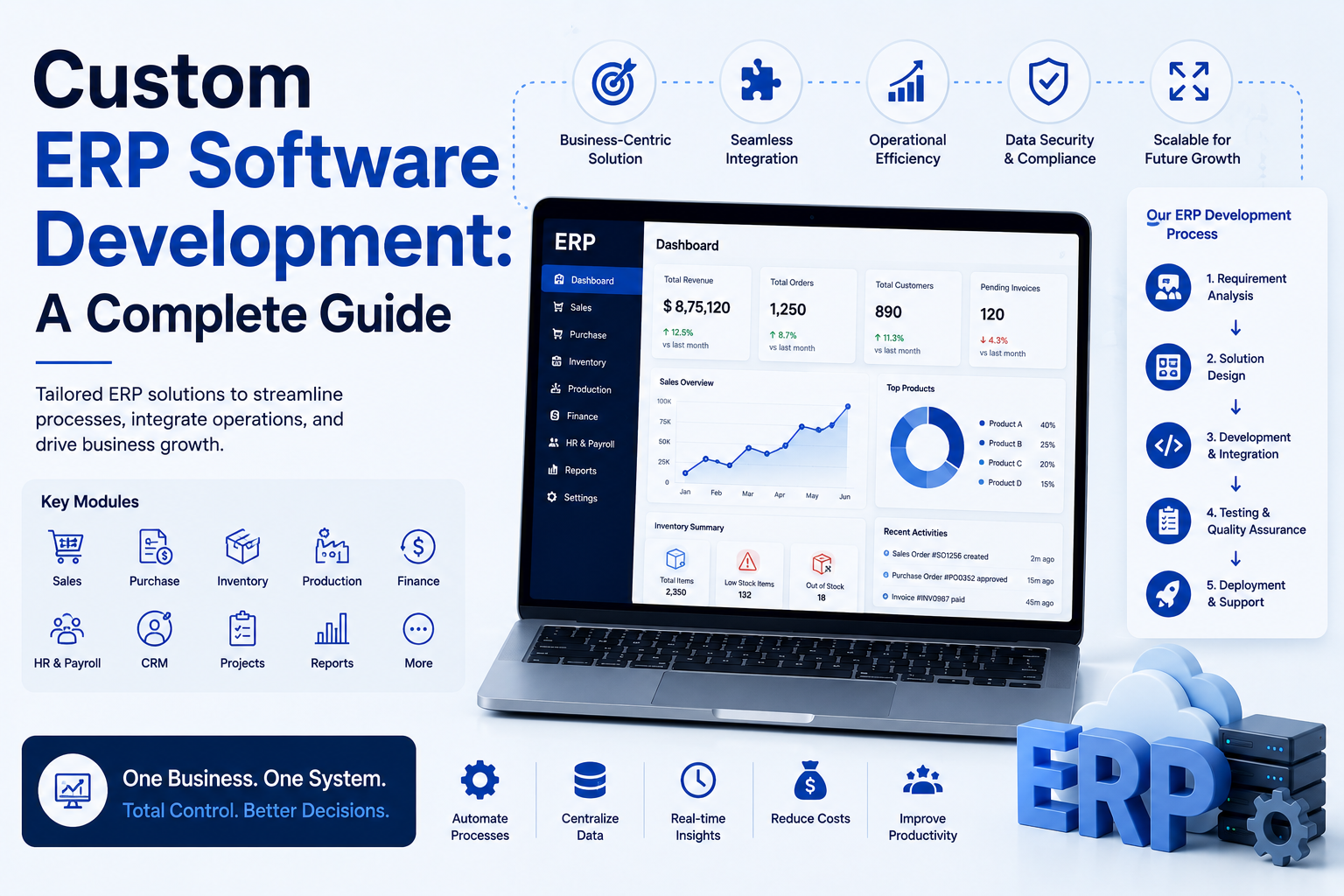
Custom ERP Software Development: A Complete Guide
Off-the-shelf ERP systems like SAP, Oracle, and NetSuite serve the majority of businesses well, but some organizations have operational processes complex or unusual enough that a standard ERP requires so much customization it approaches the cost and complexity of building custom software anyway. Custom ERP development is a major undertaking, but for the right business, it can produce software that fits operations far more precisely than a generic system forced into an unusual mold. This guide covers when custom ERP development makes sense, the core modules every ERP system needs, and how to approach the development process.
What Is ERP Software, and What Does It Actually Manage?
Enterprise Resource Planning (ERP) software unifies core business processes — finance, inventory, procurement, manufacturing, human resources, and often CRM — into a single integrated system, replacing the fragmented spreadsheets and disconnected point solutions that many growing businesses start with. The core value proposition is data consistency: when inventory, finance, and sales all reference the same underlying data in real time, it eliminates the reconciliation errors and delays inherent in disconnected systems.
Build vs. Buy: When Custom ERP Development Makes Sense
Signs a Custom ERP Might Be Worth Considering
- Your core operational processes are genuinely unusual — not just “somewhat different,” but structurally incompatible with how standard ERP modules model your industry’s workflows
- You’ve evaluated multiple off-the-shelf ERP platforms and found that achieving your required functionality would require extensive, expensive customization anyway
- You have in-house engineering capacity or budget for a dedicated development team, and the long-term cost of ERP licensing at your scale makes custom development financially competitive
- Your competitive advantage is genuinely tied to unique operational processes that a custom system could support better than any generic platform
Signs You Should Stick With Off-the-Shelf (or Heavily Customized) ERP
- Your core processes (finance, inventory, procurement) are largely standard, even if your industry has some specific requirements
- You don’t have sustained internal engineering capacity to maintain custom software long-term
- Speed to implementation matters more than perfect process fit
- Compliance or industry-standard reporting requirements are well-served by existing ERP modules built specifically for your industry
Most businesses that consider custom ERP development are better served by a heavily configured version of an existing platform (SAP, NetSuite, Odoo, Microsoft Dynamics), reserving full custom builds for genuinely unusual operational requirements that no existing platform accommodates reasonably.
Core Modules of an ERP System
Financial Management
General ledger, accounts payable/receivable, budgeting, and financial reporting form the backbone of most ERP systems, since accurate, real-time financial data underlies most other business decisions.
Inventory and Supply Chain Management
Tracking inventory levels, warehouse locations, and supply chain movement in real time, ideally integrated tightly with procurement and sales/order management so inventory data stays accurate as transactions occur.
Procurement
Purchase order management, vendor relationship tracking, and approval workflows for purchasing, typically integrated with inventory management to trigger reordering based on defined stock thresholds.
Manufacturing/Production (for applicable businesses)
Bill of materials management, production scheduling, and shop floor tracking for businesses with manufacturing operations, often one of the most complex and industry-specific ERP modules to implement correctly.
Human Resources and Payroll
Employee records, payroll processing, and benefits administration, sometimes handled within the core ERP and sometimes through tighter integration with a dedicated HR/payroll system rather than native ERP functionality.
CRM/Sales
Customer and sales pipeline management, sometimes built natively into the ERP and sometimes integrated with a separate dedicated CRM system depending on the complexity of sales process needs relative to the ERP’s native capability.
Reporting and Business Intelligence
Cross-module reporting that draws on the unified data across finance, inventory, and operations — one of the most valuable capabilities of a properly integrated ERP system, since it eliminates the manual data reconciliation required when pulling reports from disconnected systems.
The Custom ERP Development Process
Step 1: Comprehensive Process Mapping
Before any development begins, map your actual current operational processes in detail — including informal workarounds and edge cases that a rushed requirements-gathering process often misses. This is the single highest-leverage step in a custom ERP project, since a flawed data model discovered late in development is extremely costly to correct.
Step 2: Define Module Priorities and Phasing
Rather than attempting to build every module simultaneously, prioritize based on operational impact — typically finance and inventory form the foundational core, with additional modules (manufacturing, HR, advanced reporting) added in subsequent phases once the core system is stable and adopted.
Step 3: Choose Your Technical Architecture
Decisions around database architecture, whether to build a monolithic application or a modular microservices-based system, and cloud infrastructure choices should be made deliberately based on your scale and complexity needs, rather than defaulting to whatever pattern is currently trendy in software development.
Step 4: Build, Test, and Pilot in Phases
Launch each module to a pilot group of actual users before full rollout, gathering real operational feedback rather than relying solely on requirements documents that may not capture every practical nuance of daily use.
Step 5: Plan Data Migration Carefully
Migrating years of financial, inventory, and operational data from legacy systems into a new custom ERP is often one of the most technically challenging and error-prone parts of the project, requiring extensive validation before cutover.
Step 6: Build in Auditability and Compliance From the Start
Financial and operational data in an ERP system typically has audit and compliance requirements — designing audit trails, access controls, and data retention policies into the system architecture from the beginning is far easier than retrofitting them later.
Ongoing Maintenance and Total Cost of Ownership
Custom ERP development doesn’t end at launch. Long-term costs to budget for include: – Dedicated maintenance team — a custom ERP system supporting core business operations needs ongoing developer support, not an occasional check-in – Security patching and infrastructure management — particularly important given the sensitivity of financial and operational data an ERP typically holds – Feature evolution — business processes change over time, and the ERP needs to evolve accordingly, requiring sustained development investment rather than a one-time build – Integration maintenance — as other business tools (CRM, e-commerce platforms, banking systems) update their own APIs, integrations need ongoing maintenance to avoid breaking
Common Custom ERP Development Pitfalls
- Underestimating process mapping complexity — rushing the requirements phase leads to costly rework once real-world edge cases surface after launch
- Building everything at once rather than phasing rollout, creating an overwhelming, high-risk “big bang” launch rather than incremental, validated progress
- Neglecting change management — even a perfectly built custom ERP fails if the organization doesn’t invest in proper training and adoption support for the significant workflow changes it introduces
- No clear long-term ownership plan — custom ERP systems require sustained internal ownership and investment long after initial launch, and organizations that treat it as a one-time project rather than an ongoing capability often see quality degrade over time
Frequently Asked Questions
How much does custom ERP software development cost? Costs vary enormously based on scope, number of modules, and organizational complexity — ranging from a few hundred thousand dollars for a narrowly scoped custom system to several million for comprehensive, multi-module enterprise deployments. Getting detailed estimates from development partners based on your specific process mapping is the only reliable way to estimate cost for your situation.
How long does it take to build a custom ERP system? A phased rollout with core modules (finance, inventory) launched first typically takes 6-18 months for initial deployment, with additional modules and refinement continuing well beyond that as an ongoing development effort rather than a single fixed-duration project.
Is it cheaper to customize an existing ERP or build one from scratch? For most businesses, customizing an existing platform (SAP, NetSuite, Odoo, Microsoft Dynamics) is significantly cheaper than building from scratch, both in initial cost and ongoing maintenance. Custom development becomes more cost-competitive primarily for organizations with genuinely unusual processes that would require extensive, expensive customization of any off-the-shelf platform anyway.
What’s the biggest risk in custom ERP development? Inadequate upfront process mapping is one of the most common and costly risks — a flawed understanding of actual operational requirements discovered mid-development or post-launch leads to expensive rework and can seriously undermine organizational confidence in the project.
Can a custom ERP integrate with existing tools like a CRM or e-commerce platform? Yes, and this integration capability is often a key advantage of custom development — you can build exactly the integration depth needed with your existing tools, though ongoing integration maintenance should be budgeted as those external tools’ own APIs evolve over time.
Should a growing business build custom ERP or start with an off-the-shelf platform? Most growing businesses are better served starting with an off-the-shelf or lightly customized ERP platform, reserving full custom development for cases of genuinely proven, significant process misalignment with available platforms — an assessment best made after actually implementing and living with a standard platform for some time, rather than assuming custom development is needed from the outset.


